Hi, I’m /koh-koo/
A computer science student focused on networking, Linux, and infrastructure. I run a Proxmox homelab and use it to host projects like Couch Trivia Live, a multiplayer game for Roku and phones.
Behind every connection, a system.
From homelab
to living room.
Couch Trivia Live connects a Roku TV and smartphone controllers through a game relay hosted on my Proxmox homelab.
Explore Couch Trivia Live ↗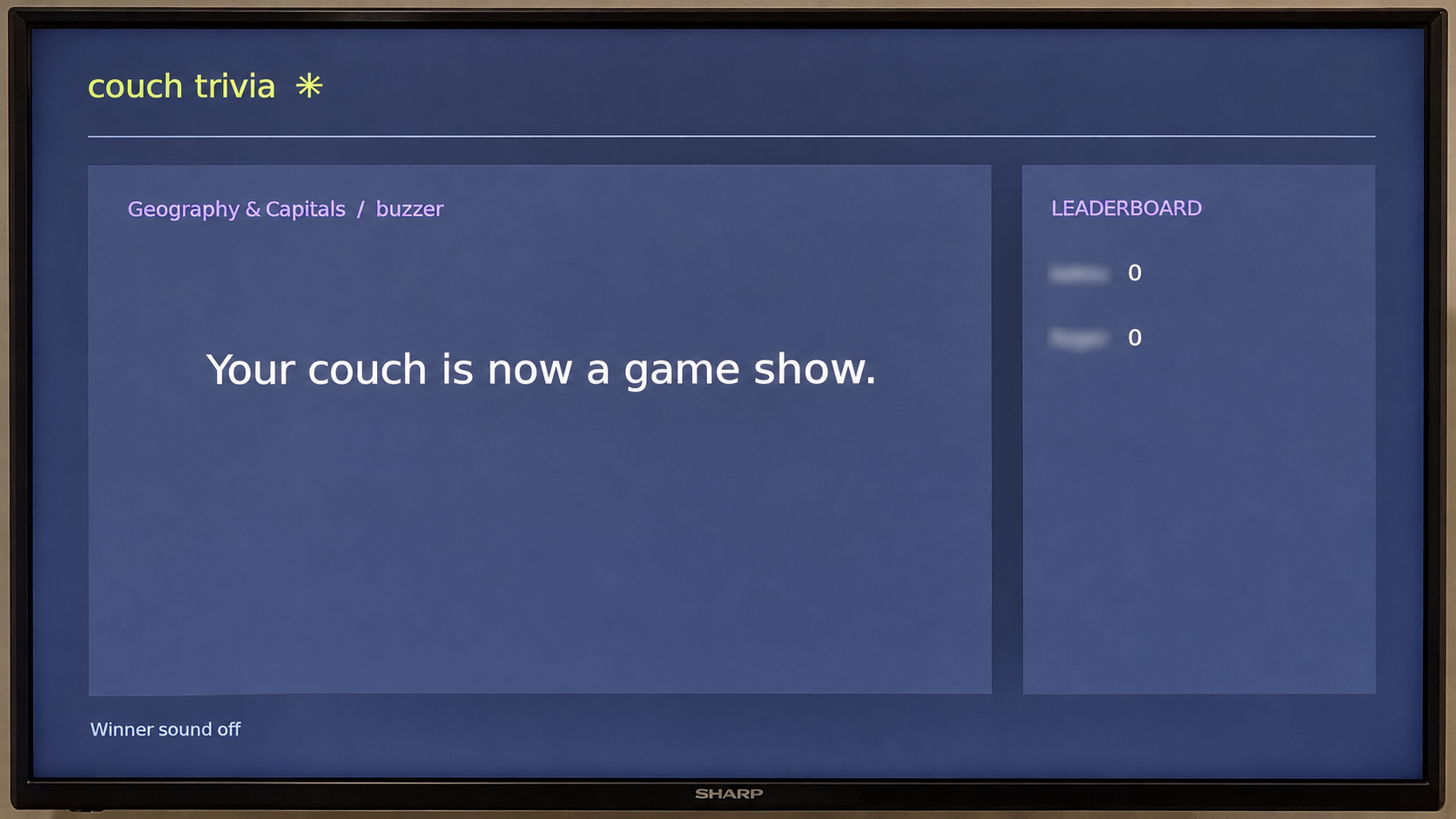
Enterprise virtualization & homelab
Bare-metal setup, Ubuntu VMs, LXC containers, storage pools, snapshots, and automated backups.
PROXMOX · LINUX 003
Mini data centre network
A three-VLAN lab with a Layer 3 core, trunk links, and inter-VLAN routing. Verified with ping, HTTP, and Cisco IOS diagnostics.
CISCO IOS · PACKET TRACER 004
Reading the network
A Python traffic analysis tool using Scapy and Pandas to flag patterns such as port scans and denial-of-service attempts.
PYTHON · SCAPY · PANDAS RESEARCH NOTE / CO-AUTHORED SURVEY
How does AI traffic change
the network underneath it?
A survey and critical analysis of MetaRoCE: RoCEv2 limitations, congestion control, and comparisons with MRC and Ultra Ethernet.
Read the research overview ↗A shared screen.
A room of players.
My own infrastructure.
A multiplayer trivia experience for Roku TV and smartphone controllers, deployed on an Ubuntu virtual machine in my Proxmox homelab.
Product direction, self-hosting,
deployment, and troubleshooting
Node.js · Express · WebSockets
BrightScript · Roku SceneGraph
Proxmox VE · Ubuntu Server
Tailscale Funnel · SSH
01 / The idea
Bring people into a trivia game without asking everyone to install an app. The TV provides the shared display; phones provide buzzer and typed-answer inputs.
The relay coordinates players, rounds, answers, and scores. The project includes a browser TV preview so gameplay can be checked separately from the Roku application.
02 / Making it run
I deployed the game on an Ubuntu VM in my Proxmox environment and worked through installation, SSH file transfers, service updates, and connectivity checks.
Phones communicate with the relay over WebSockets. The Roku implementation uses background HTTP polling, keeping network requests separate from its display logic. Tailscale Funnel provides the public route to the homelab service.
03 / Following the fault
One deployment issue made the distinction between a healthy application and a reachable service very clear. The local health endpoint responded successfully, but phones could not reach the public address.
Checking the local relay, Funnel configuration, and public DNS separately narrowed the problem: the public hostname returned NXDOMAIN while private access still worked. Public DNS resolution returned after restarting Tailscale and re-enabling Funnel.
The lesson: test each layer independently. A running process and a configured proxy are useful signals, but neither proves that a player can reach the game.
04 / Iterating on play
- Expanded the question pack to 120 questions, with repeat prevention within a game.
- Added a phone-based Next Question control after the reveal.
- Introduced winner celebrations, including confirmed confetti on the physical Roku TV.
Development was AI-assisted. My work included defining the experience, requesting changes, deploying updates, testing with devices, and working through infrastructure and connection problems.
TV confetti worked in the last documented test. The next updates will focus on fixing Roku applause audio and saving connection settings on Roku so they can be reused on future launches.
Physical hardware.
Virtual possibilities.
An enterprise-style virtualization environment built on bare-metal server hardware, with Linux guests and virtual networking.
01 / The foundation
The environment began with physical server setup, Cat6 cabling, and network connections. Proxmox VE provides the platform for Ubuntu Server virtual machines and LXC containers.
02 / Storage and recovery
The lab includes storage pools, snapshots, and automated backups. These provide practical experience with managing virtual workloads and maintaining recovery options.
03 / Networking and management
Linux network bridges and static IP addressing connect the workloads. OpenSSH and web interfaces provide remote management.
04 / A workload with a purpose
Couch Trivia Live runs on an Ubuntu VM in this homelab. That deployment connects virtualization practice to a real application, including service updates and connectivity troubleshooting.
Separate networks.
Connected by design.
A Cisco Packet Tracer lab exploring VLAN segmentation and routing through a Layer 3 core.
01 / The topology
The lab uses one Layer 3 core switch, two access switches, two servers, and an administrative PC. Devices are segmented into three VLANs.
02 / The configuration
Cisco IOS configuration covers access ports, trunk links, switch virtual interfaces (SVIs), and inter-VLAN routing. The core provides routing between the segmented networks.
03 / The verification
Ping and HTTP tests check connectivity. Diagnostic commands include show vlan brief, show interfaces trunk, and show ip route, alongside Packet Tracer Simulation Mode.
04 / Scope
This is a simulated network lab. Its focus is configuration and troubleshooting; it does not represent a production data centre deployment.
Traffic becomes
evidence.
A Python traffic analysis project that processes packet captures and network logs to flag anomalous activity.
01 / The input
The tool processes PCAP captures and network logs. Scapy and Pandas form part of the Python analysis workflow.
02 / The focus
The project flags anomalous activity such as port scans and denial-of-service attempts, turning traffic data into findings that can be investigated.
03 / Reading the findings
A flag is a starting point for investigation. Capture context and traffic patterns matter when interpreting whether activity is unexpected.
04 / Evidence and limits
This overview reflects the project described in my résumé. Detection thresholds, model details, benchmark results, and sample findings are not documented here, so no accuracy or performance claims are made.
AI workloads.
Network questions.
A co-authored survey and critical analysis of MetaRoCE, an endpoint-centric RDMA transport for AI Ethernet fabrics.
01 / The research question
The survey examines MetaRoCE in the context of the networking demands of AI workloads and the limitations of RoCEv2.
02 / The technical scope
Topics include Priority Flow Control (PFC), Equal-Cost Multipath (ECMP), and congestion control. The analysis also compares MetaRoCE with MRC and Ultra Ethernet.
03 / The contribution
I co-authored the survey and critical analysis at Clayton State University. This project represents research and technical synthesis, rather than an implementation of the protocol.
04 / Reading the paper
The paper itself is not currently attached to this portfolio. Contact me to discuss the research and my contribution.
Learning the network.
One question at a time.
A place for my CCNA study notes: concepts in my own words, practical labs, mistakes worth remembering, and the moments things click.
WEEK 1 Building the networking foundations.
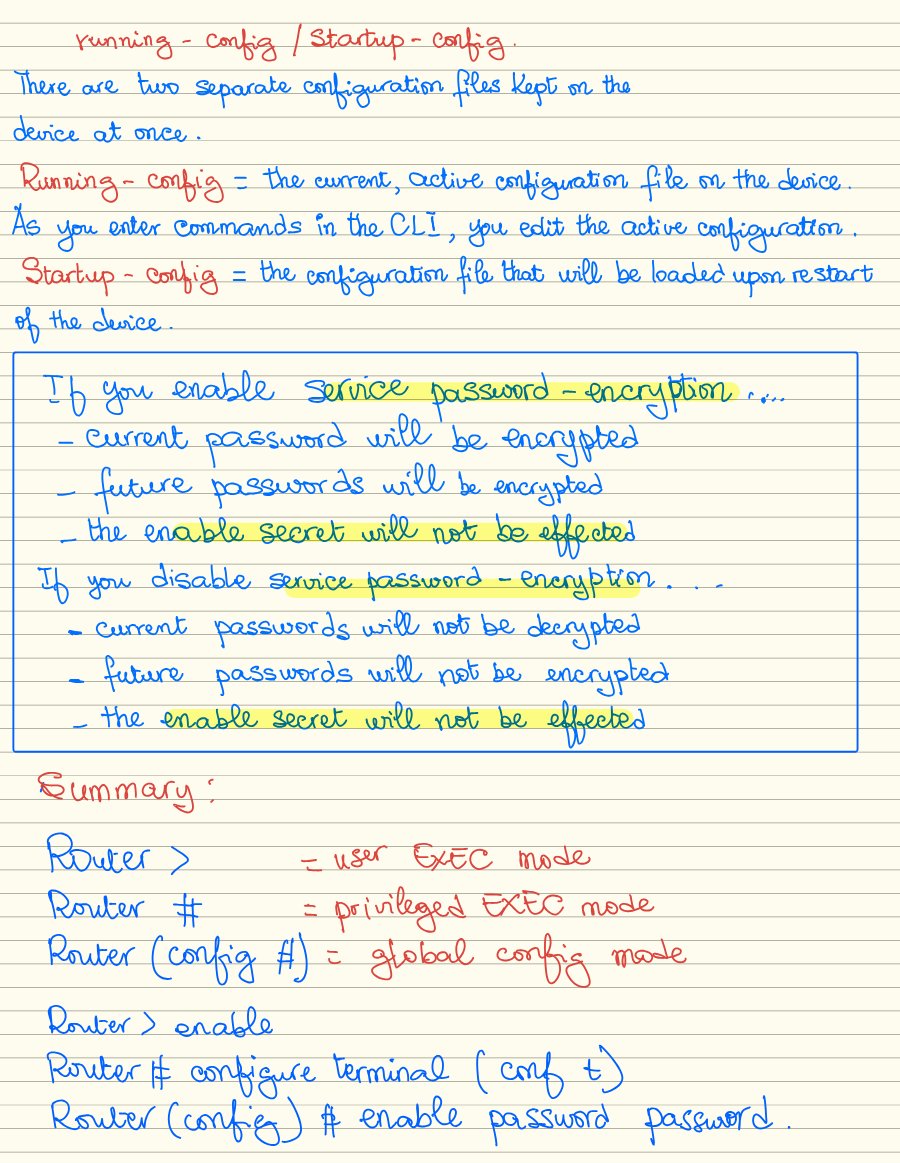
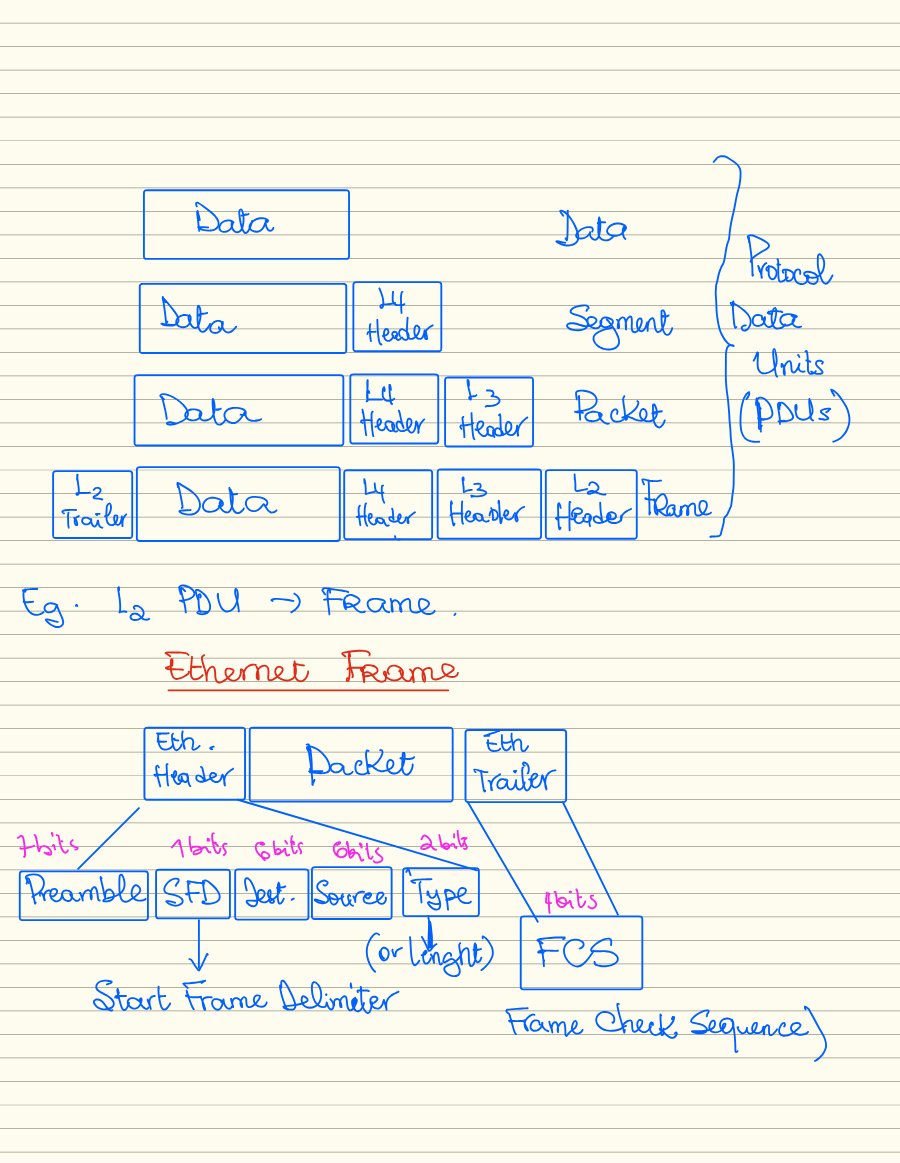
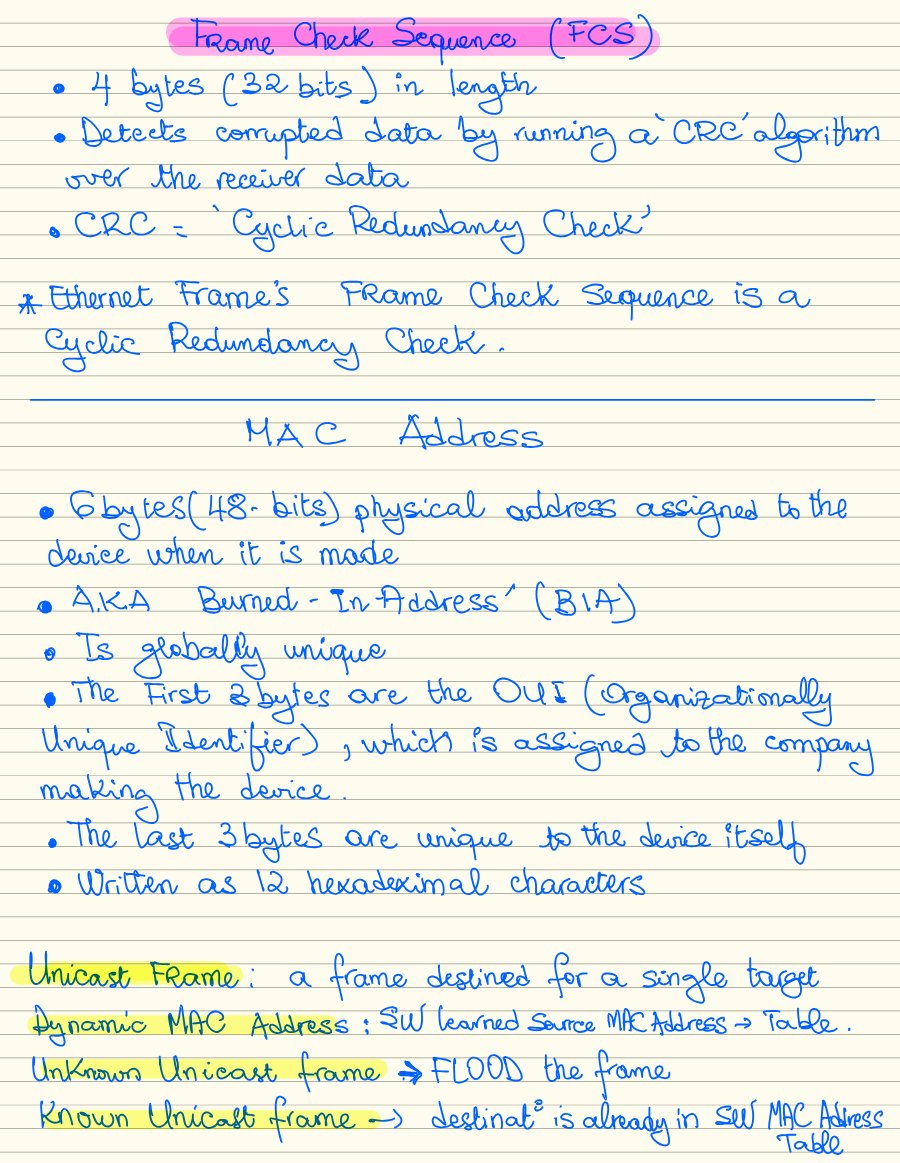
My first week of CCNA notes: the devices that connect a network, the cables between them, the models that explain communication, and the first steps inside Cisco IOS.
Devices & connections
Network devices, copper and fiber cabling, straight-through and crossover connections.
Models & layers
TCP/IP and OSI models, encapsulation, and protocol data units.
Working in IOS
CLI modes, running and startup configurations, passwords, and basic device security.
Ethernet switching
Ethernet frames, MAC addresses, frame checking, and switch forwarding concepts.
Inside the notebook 6 page previews / click to expand
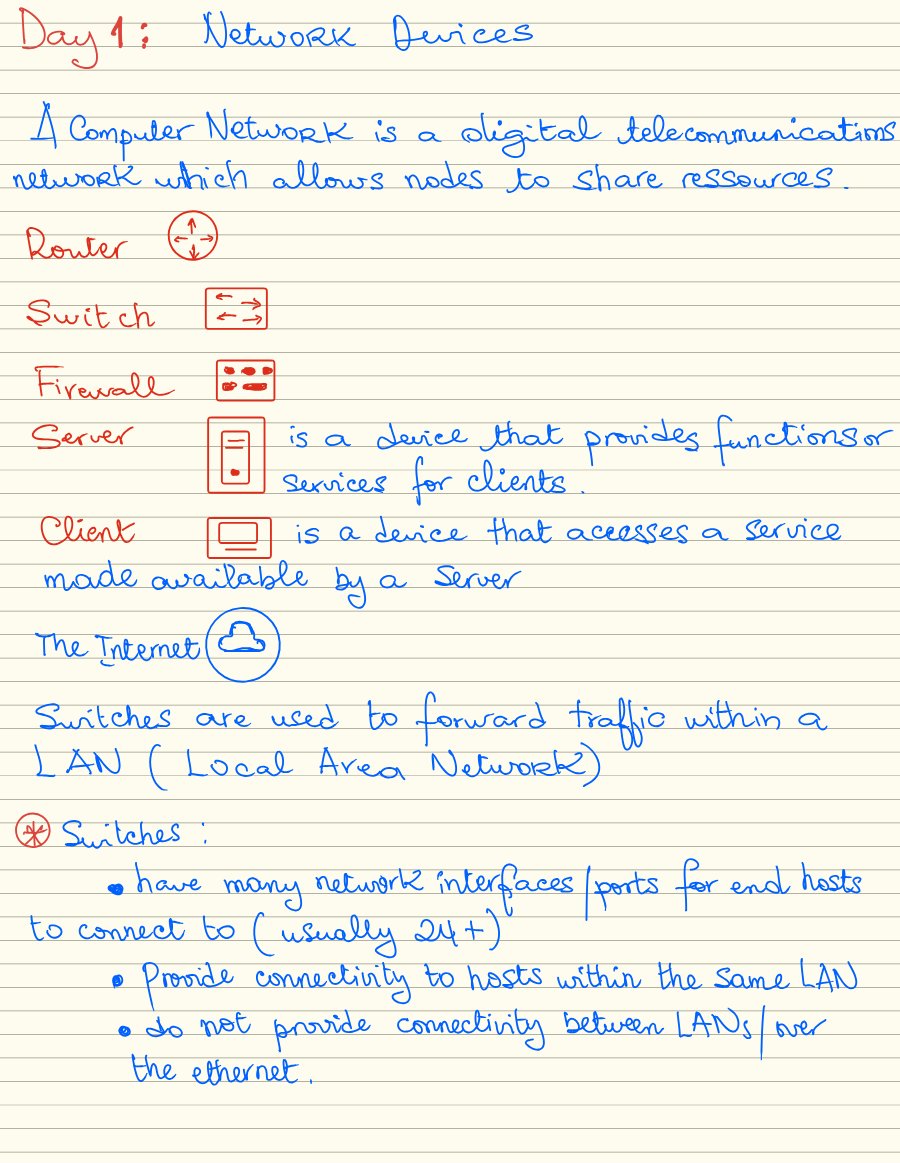
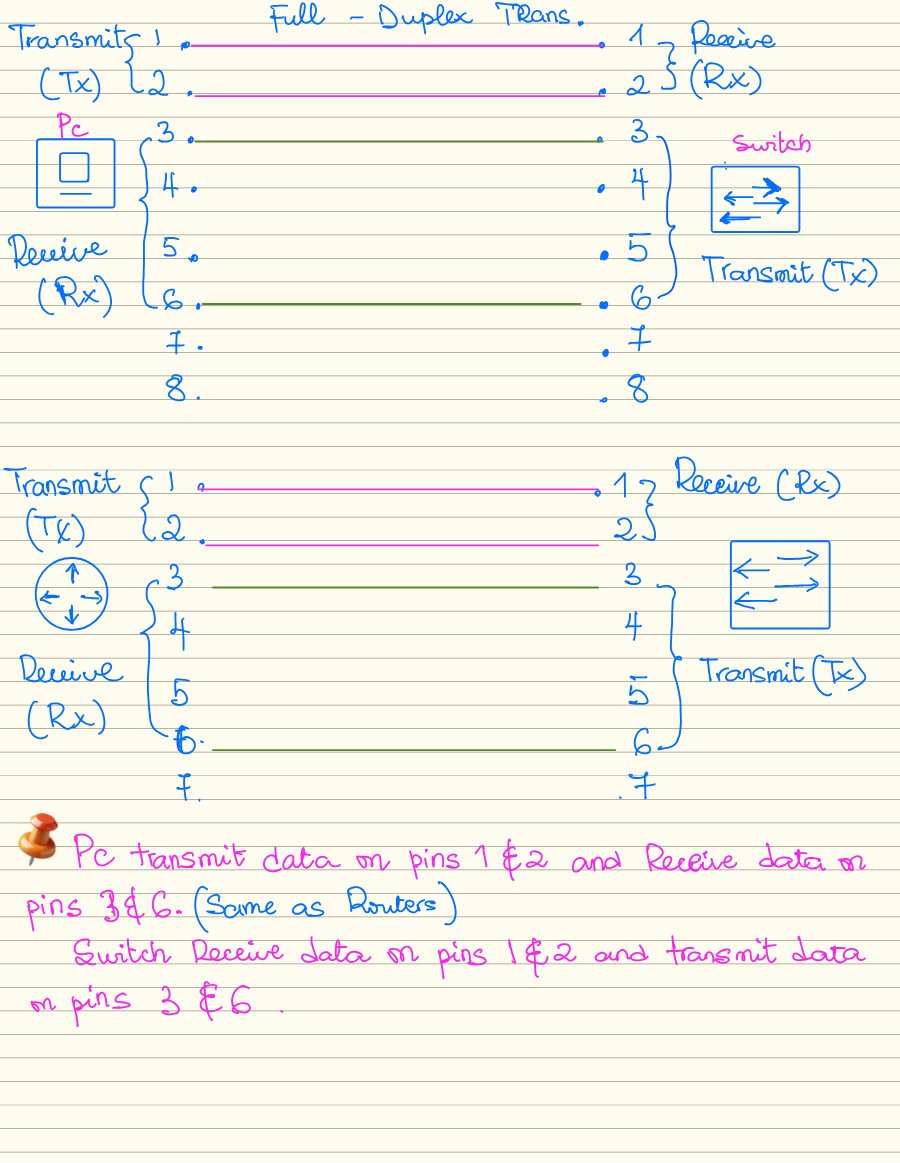
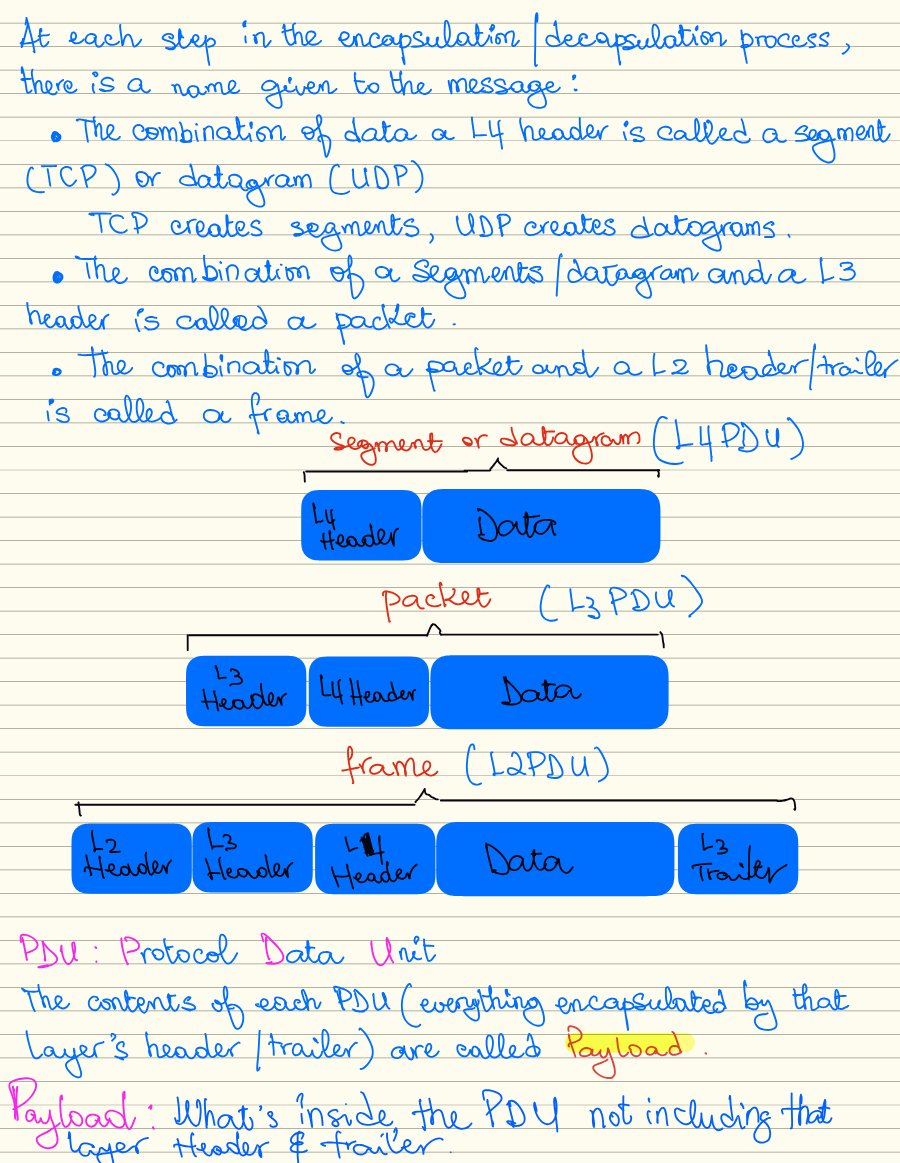
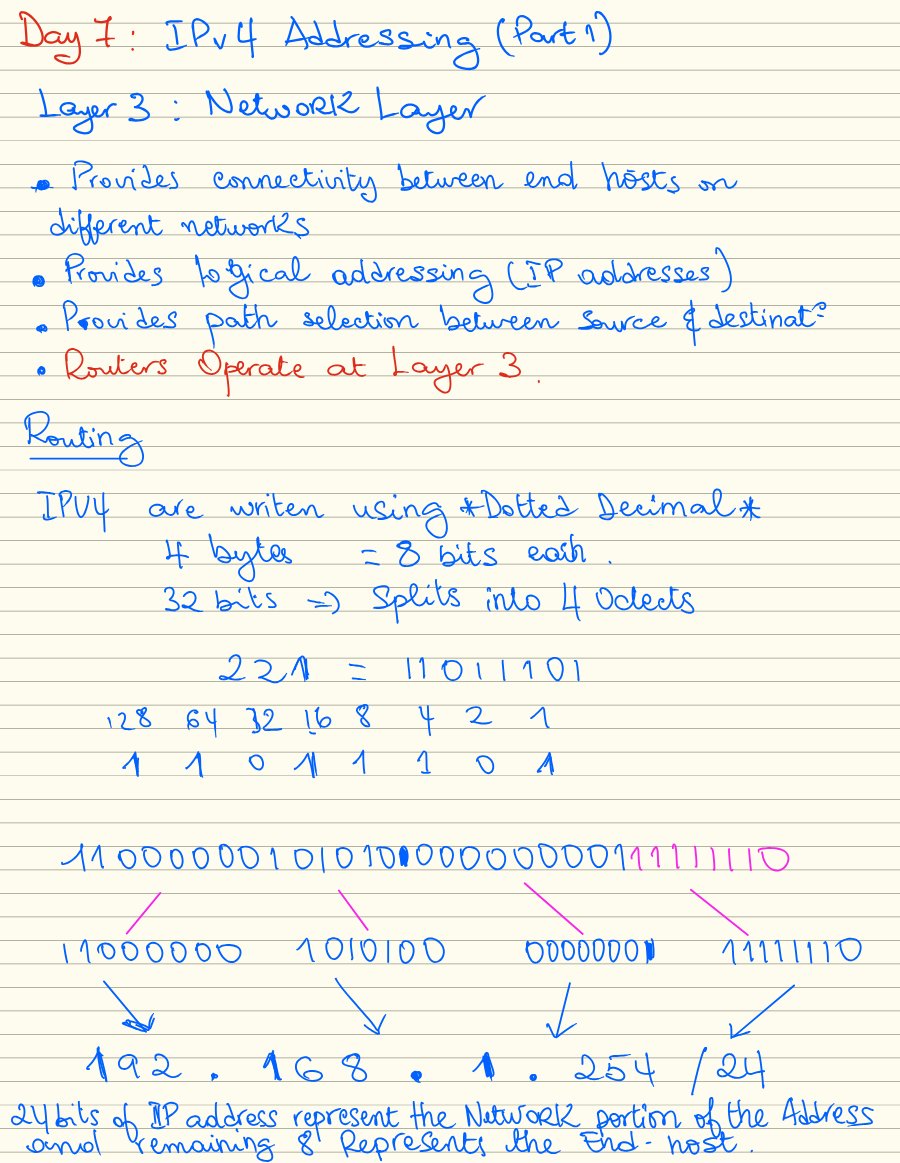
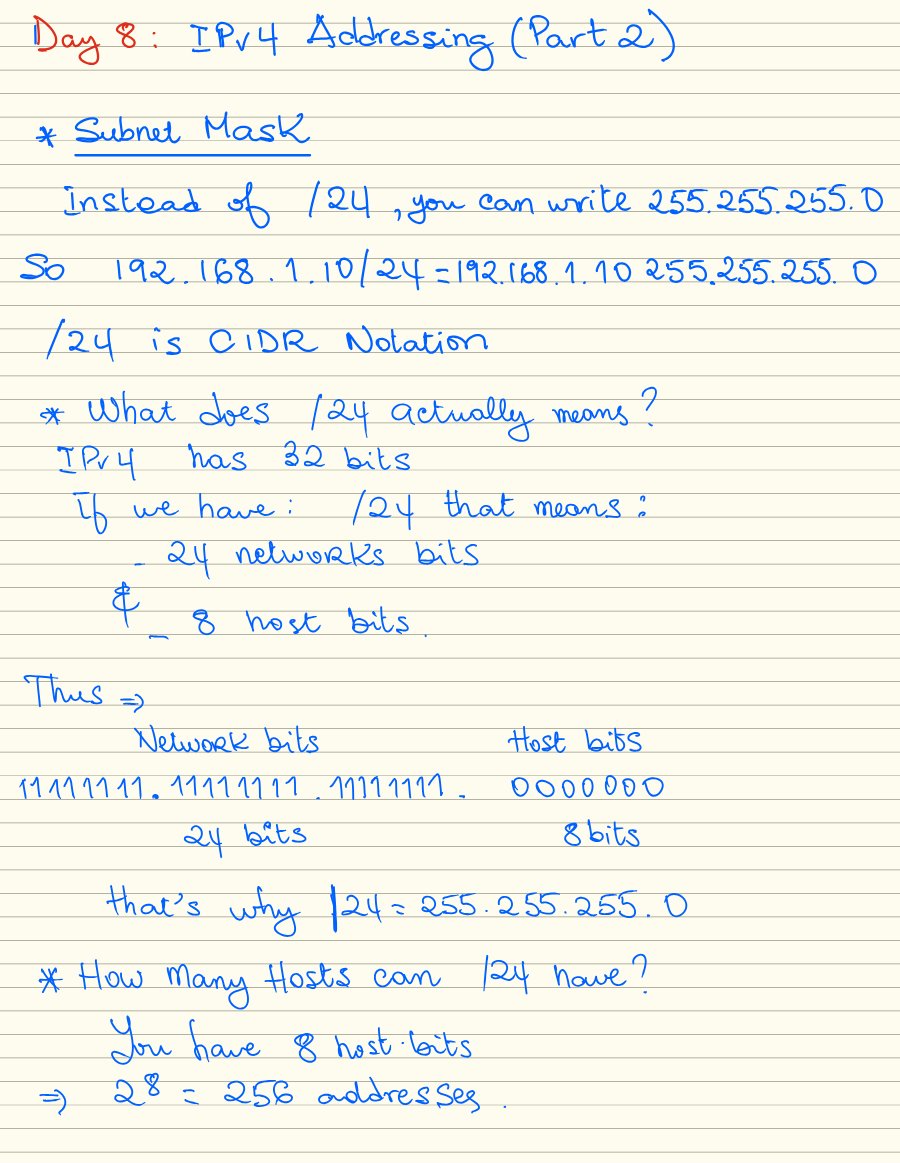
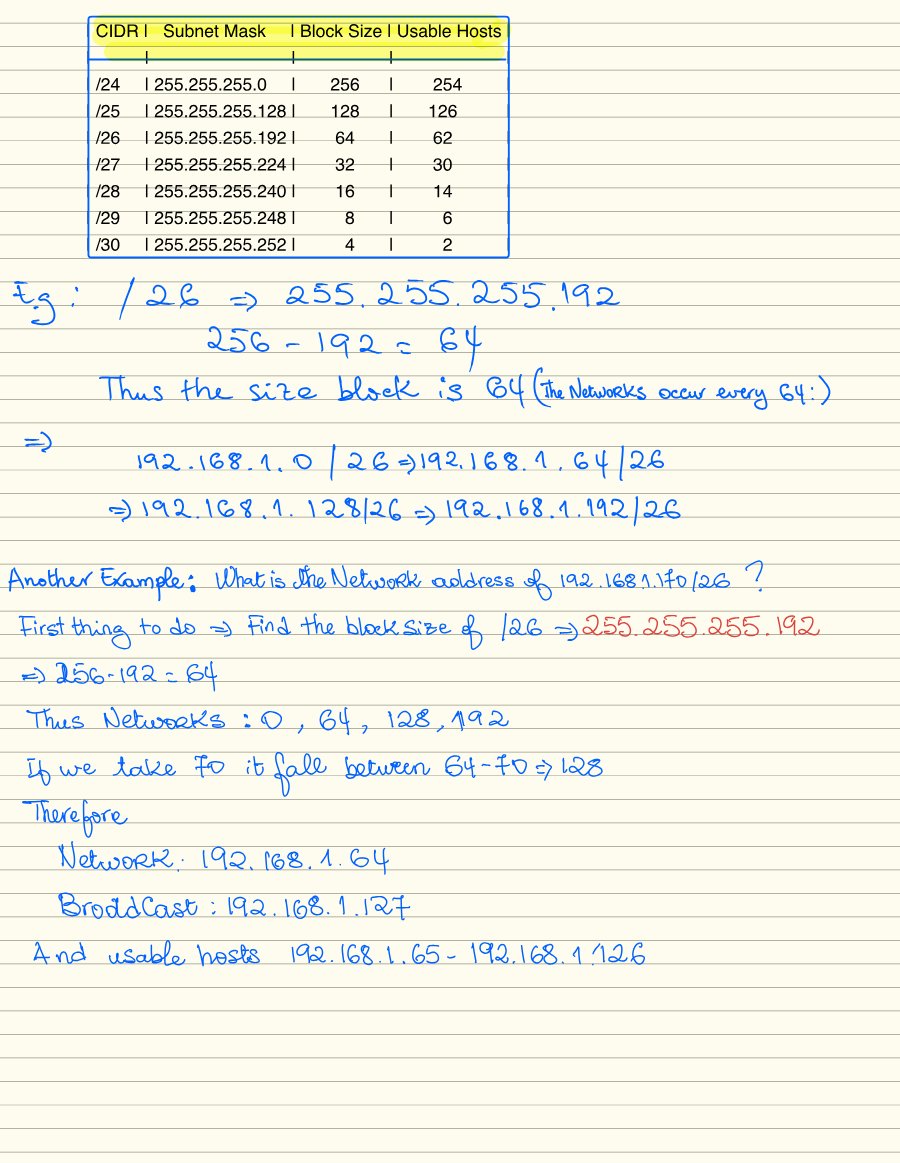
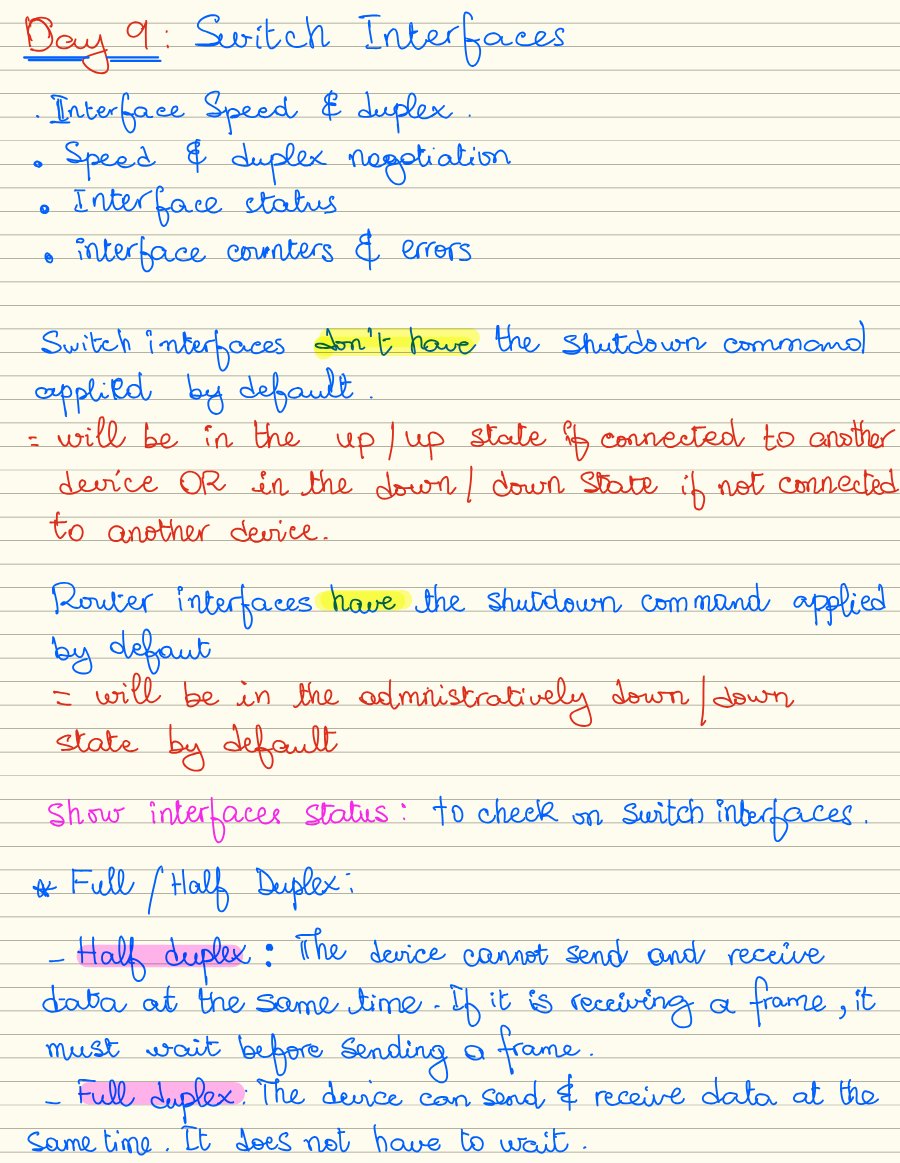
WEEK 2 From Ethernet frames to IPv4 packets.
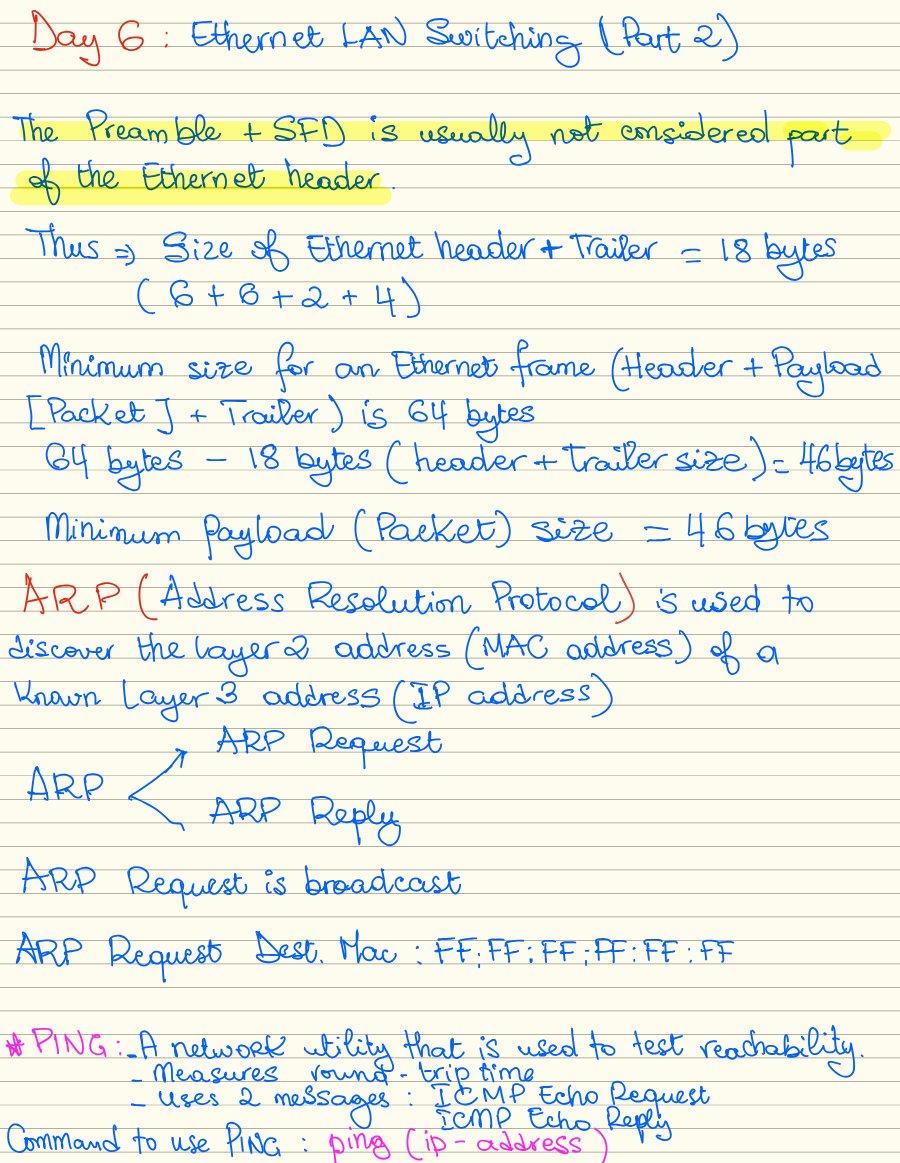
Week 2 covers how devices communicate on a LAN, how IPv4 addresses divide networks, and what switch interfaces and packet headers can tell us.
Ethernet switching
ARP, ping, and a lab tracing how devices communicate through switches.
IPv4 addressing and subnetting
Binary and dotted-decimal notation, subnet masks, CIDR prefixes, and network, host, and broadcast addresses.
Switch interfaces
Interface status, speed, duplex, autonegotiation, and errors.
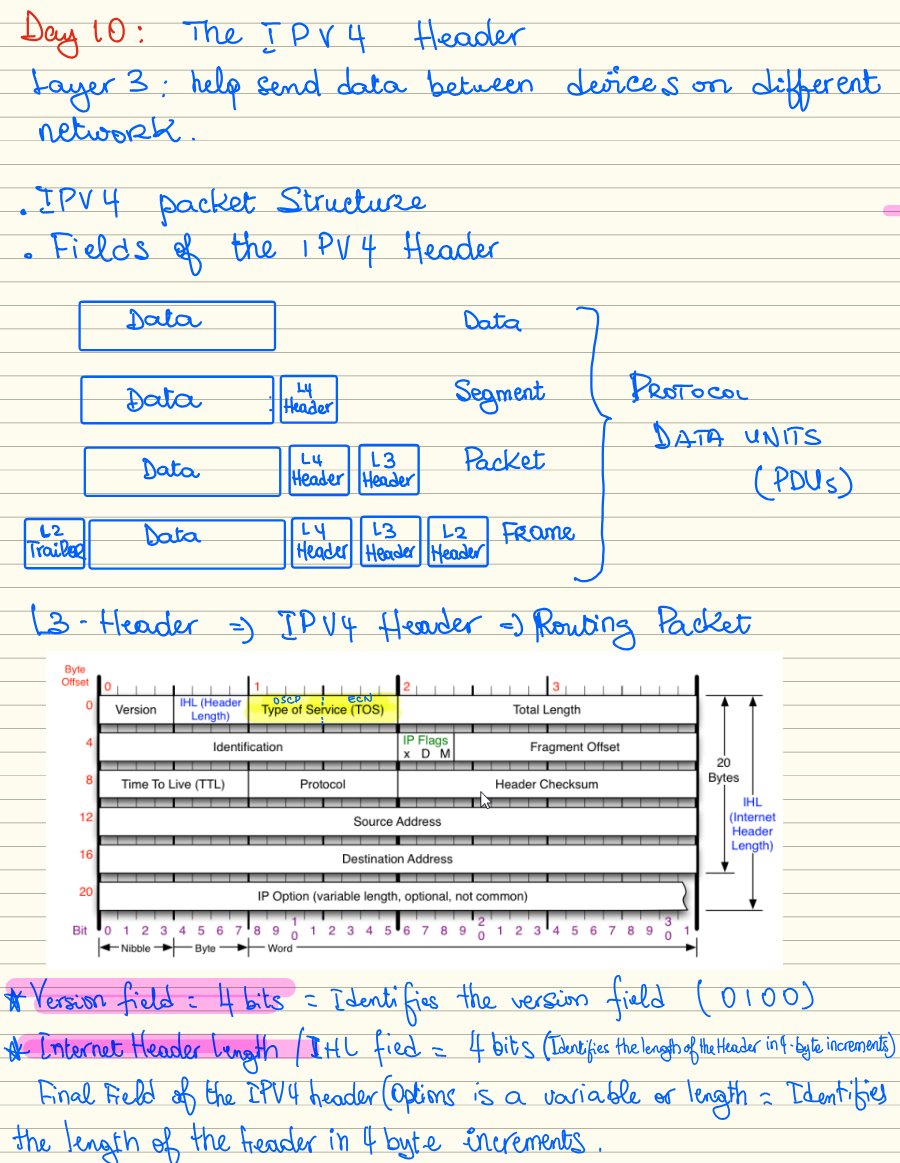
IPv4 packet headers
Header fields for packet length, fragmentation, time to live, and the next protocol.
Inside the notebook 6 page previews / click to expand
Subnetting / Switching & VLANs / Routing / Network services / Security / Automation
Curiosity,
with a
practical side.
I’m Kokou, a computer science student at Clayton State University with a hands-on interest in infrastructure.
I work across physical hardware, Linux administration, virtual machines, and networks. My homelab gives me a place to connect those interests—and to learn what happens after a project leaves my laptop.
Since August 2022, I’ve volunteered in IT support at Grace Baptist Bible Church, troubleshooting endpoints, network devices, and audiovisual equipment that people rely on during live broadcasts.
Read my résumé ↗B.S. Computer Science, in progress
GPA 3.56 / 4.00
Google IT Support Professional Certificate
ISC2 Certified in Cybersecurity (CC)
Completed: Fiber optic splicing training
Completed: CodePath Cybersecurity 101
In preparation: CCNA — target January 2027